
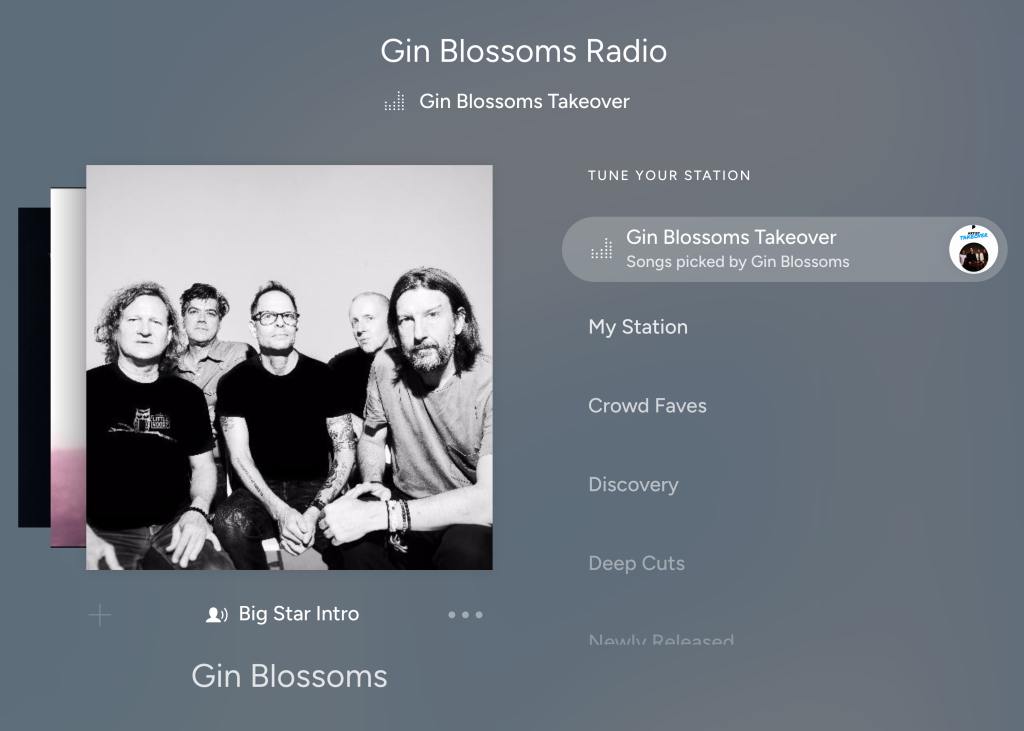
Pandora recently launched the Artist Station Takeover Mode feature to give artists the opportunity to curate the music that plays on their artist station and add voice commentary. With Pandora’s new Takeover Mode, artists can play the music that matters to them and tell stories right on their own station.
For many years, Pandora has offered different listening Modes on stations, including Crowd Faves, Discovery, Deep Cuts, and Newly Released. However, there hasn’t been an option for artists to curate their own custom artist station Mode before, until now.
How to Use Takeover Mode
Artists can directly access this feature by following these simple steps:
- Log into AMP
- Create a new program
- Select “Modes” to create a mix directly for listeners.
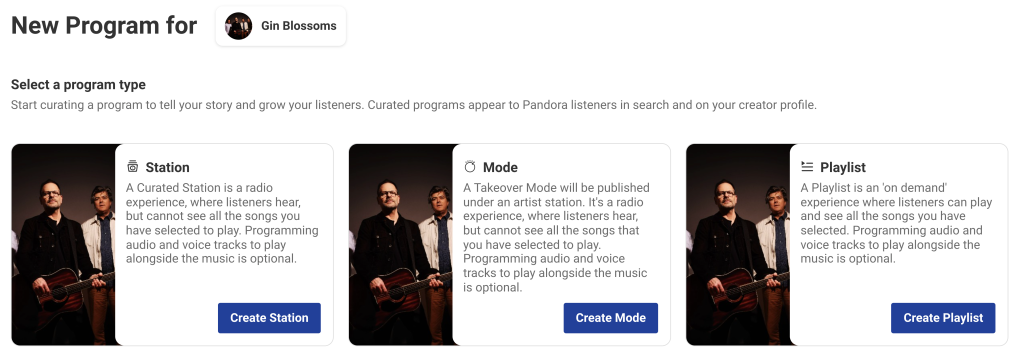
When the artist logs in to AMP to create a new program, they’ll now have three program types to choose from, including Modes, Stations, and Playlists. Stations and Playlists remain unchanged but Modes is the new option artists can use to create a mix directly for their station listeners. With this feature, artists can publish one Takeover Mode on their station at a time for a three-month period.
Like Stations, Artist Station Takeover Modes require at least 80 tracks to be DMCA compliant. When creating a program, artists have access to the Pandora catalog where they can choose the music they would like to include and upload their voice tracks to attach to music tracks.
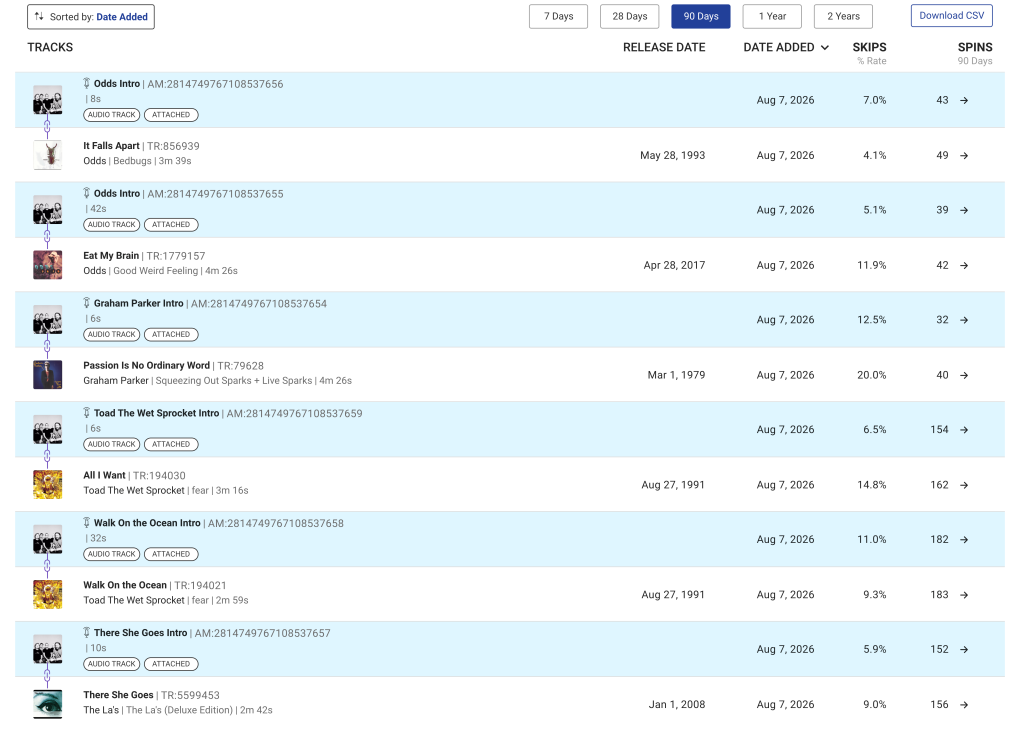
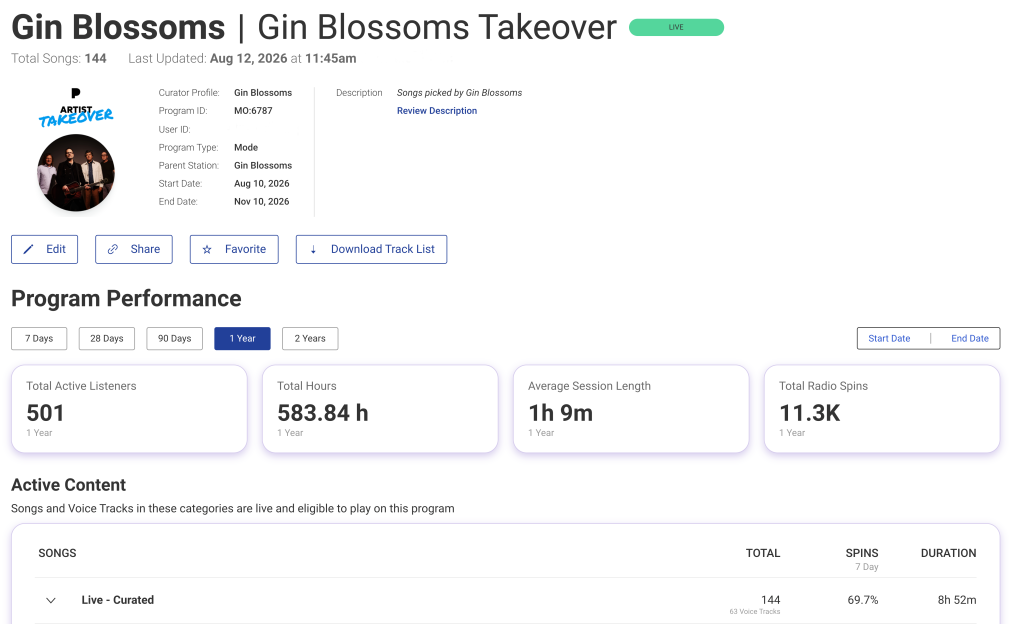
Once the Takeover Mode is published, the artist and their team can keep track of its performance within AMP, by viewing:
- the number of active listeners
- hours spent listening
- average session length
- skip rate
- total number of radio spins accumulated
As always, AMP provides a robust set of analytics to view metrics for the artist’s Takeover Mode to see how their audience is engaging.
—
Label Engine Team