
Bandsintown has partnered with Apple to bring concert discovery to Apple Music. Connect your Apple Music artist page URL to have your events reach fans — helping more fans go from searching and streaming to attending your artist’s shows.
How to connect your Apple Music artist page to Bandsintown
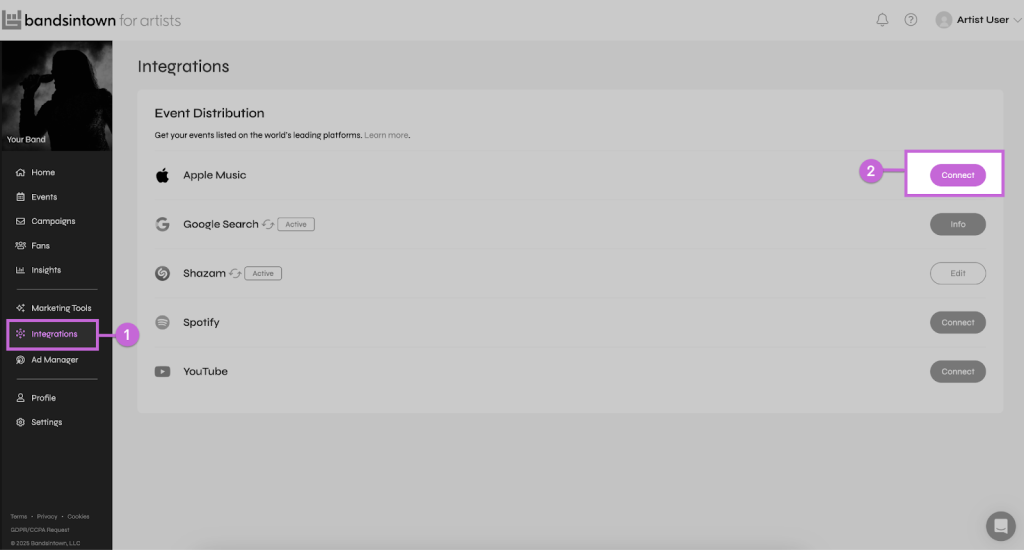
Follow these steps to link your artist’s Apple Music page and activate concert visibility:
- Log in to your Bandsintown for Artists dashboard or create an account for free
- Go to Integrations
- Click Connect next to Apple Music
- Paste your Apple Music artist page URL and click Connect to save
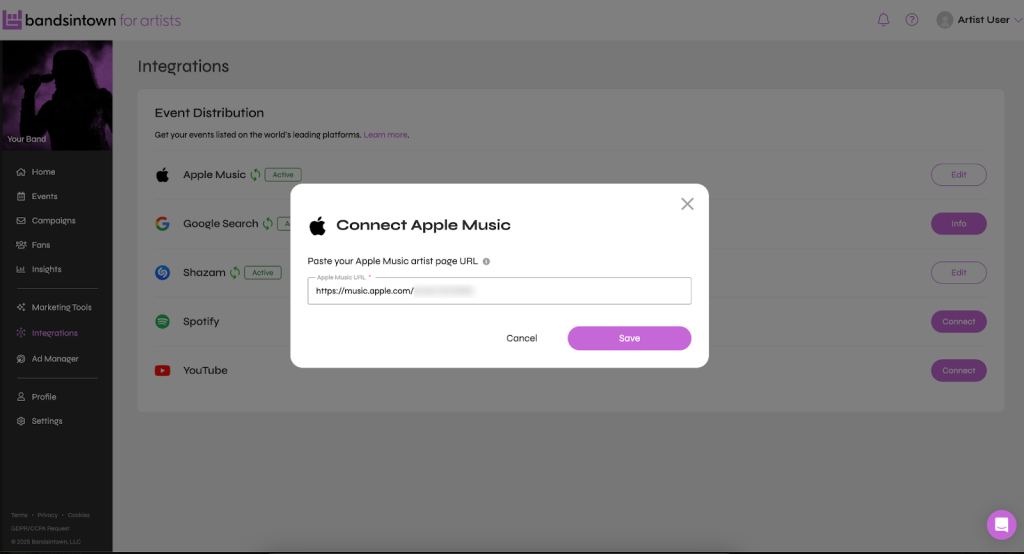
Once connected, Bandsintown events will begin appearing in Apple Music within 24–48 hours. To ensure all your upcoming shows are listed, go to the Events page. If the events are not listed, they can be added manually or wait for your ticketing partner to sync them.In order for the integration to work, there must be at least one event listed in the artist’s Bandsintown account.
How fans discover concerts on Apple Music
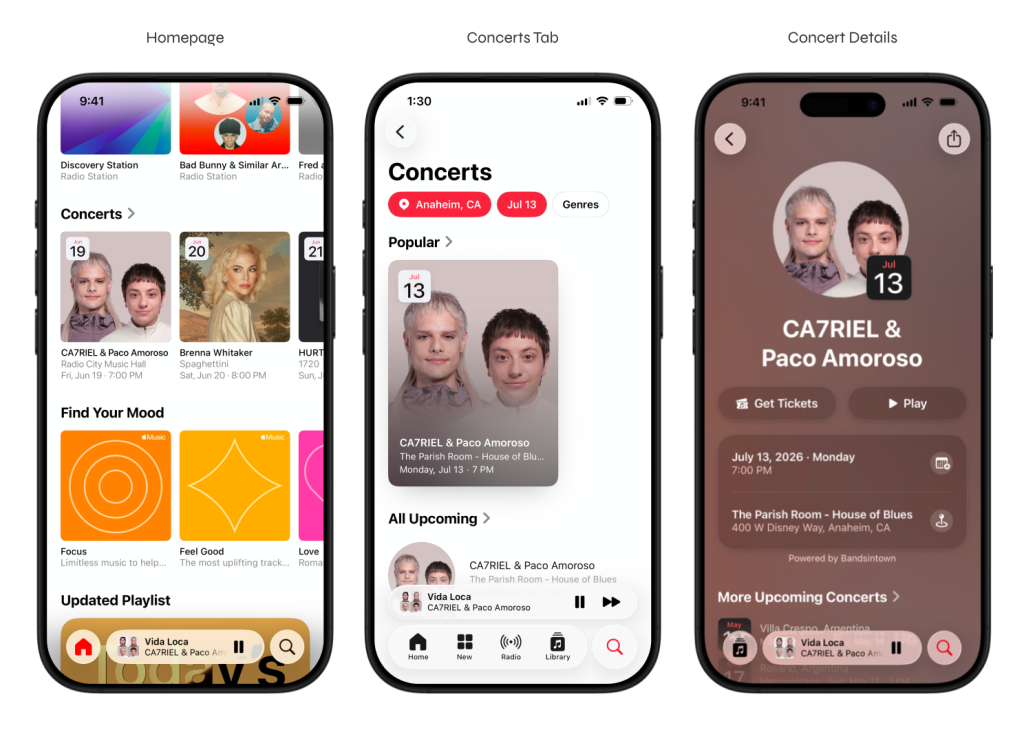
Fans can discover nearby shows on the Apple Music homepage in the Concerts carousel feature. In the Concerts tab, fans have the option to browse events by location, date, and genre — and tap to view venue details and ticket links without leaving the app. When fans visit your artist’s Apple Music page, they’ll see their upcoming shows listed directly alongside their music.
Please note: Bandsintown is one of Apple Music’s concert data providers alongside Ticketmaster. If your artist has events managed through Ticketmaster, they may also appear on Apple Music. Connecting your artist’s Bandsintown profile gives your team control over event listings and ensures the most accurate and complete event information appears on Apple Music.
—
Label Engine Team